If you review documents on an iPad, the routine is familiar: open a file, circle the important part, add a note, send it on. Links make the handover less straightforward. A web address can remain perfectly readable while the thing that made it tappable disappears somewhere along the way.
The Folivex C9 preserves a URI link when the transferred PDF contains the actual link annotation and its intended URI action. A typed or handwritten address is not enough to establish that the interactive object exists. The important question is therefore what the saved file contains, not simply what you can see on the page.
Three things a useful link needs
A link has a visible or otherwise understandable location, an address and an action. Those parts need to stay associated as the document moves between applications. A label that says “support page” is not useful if its tappable area opens the wrong address. A correct address attached to an unrelated part of the page can be equally confusing.
Check these separately:
- The label or surrounding content remains readable.
- The active region stays at the intended location.
- The complete URI remains attached to that region.
- Activating the region performs the intended action.
This is why a screenshot cannot establish hyperlink preservation. It can show appearance and placement, but not whether the stored action remains present. Even tapping the text in one viewer may leave a question, because some viewers recognise URL-like text automatically.
What Markup adds to the file
Apple's Markup guide describes tools for adding text, drawings and shapes in supported applications. These are useful review tools. Their presence does not imply that every written address becomes a PDF link annotation.
Write an address as ink and the visible strokes can survive without a URI action. Type an address and a viewer may recognise it, but that recognition still needs to be distinguished from a link stored in the file. The surrounding application and export workflow matter, so record them rather than referring only to “Markup” as if it were the complete processing chain.
PDF defines link annotations and URI actions in its technical specification. That structure gives you something concrete to inspect when two viewers behave differently. One may be following a stored link while another is making the visible text interactive on its own.
Build the link before the review
For a predictable workflow, create the required hyperlink in a PDF editor that supports link annotations. Save a reference copy and confirm the complete address. Then use the iPad review tools for the drawings and comments around it.
Avoid covering the active region without checking the result. A mark drawn over a link can change what the page appears to say while leaving an action underneath. The inverse is possible too: an address may remain visible after an export has removed interactivity. The final document needs to communicate clearly as well as contain the correct objects.
Test the full round trip
- Make a short reference PDF with a known URI link and a separate plain-text address. Label them so they cannot be confused during review.
- Open it in the iPad application you actually use. Add a visible Markup note near each item, then save or export using your usual options.
- Transfer that result to the C9 workflow. Check appearance, link-region placement and the full target address, including its path and query string.
- Open the same export in a second viewer and compare the behaviour. Investigate any difference instead of assuming the first viewer establishes what is stored.
- If you normally export again from the destination, include that export and repeat the checks. Keep the earlier copies so the first change can be located.
Use a harmless reference address that you control or know well, and inspect the target before activating it. The purpose is to test preservation, not to rely on an unfamiliar link simply because it happens to be present in the sample document.
Why a normal-looking export can behave differently
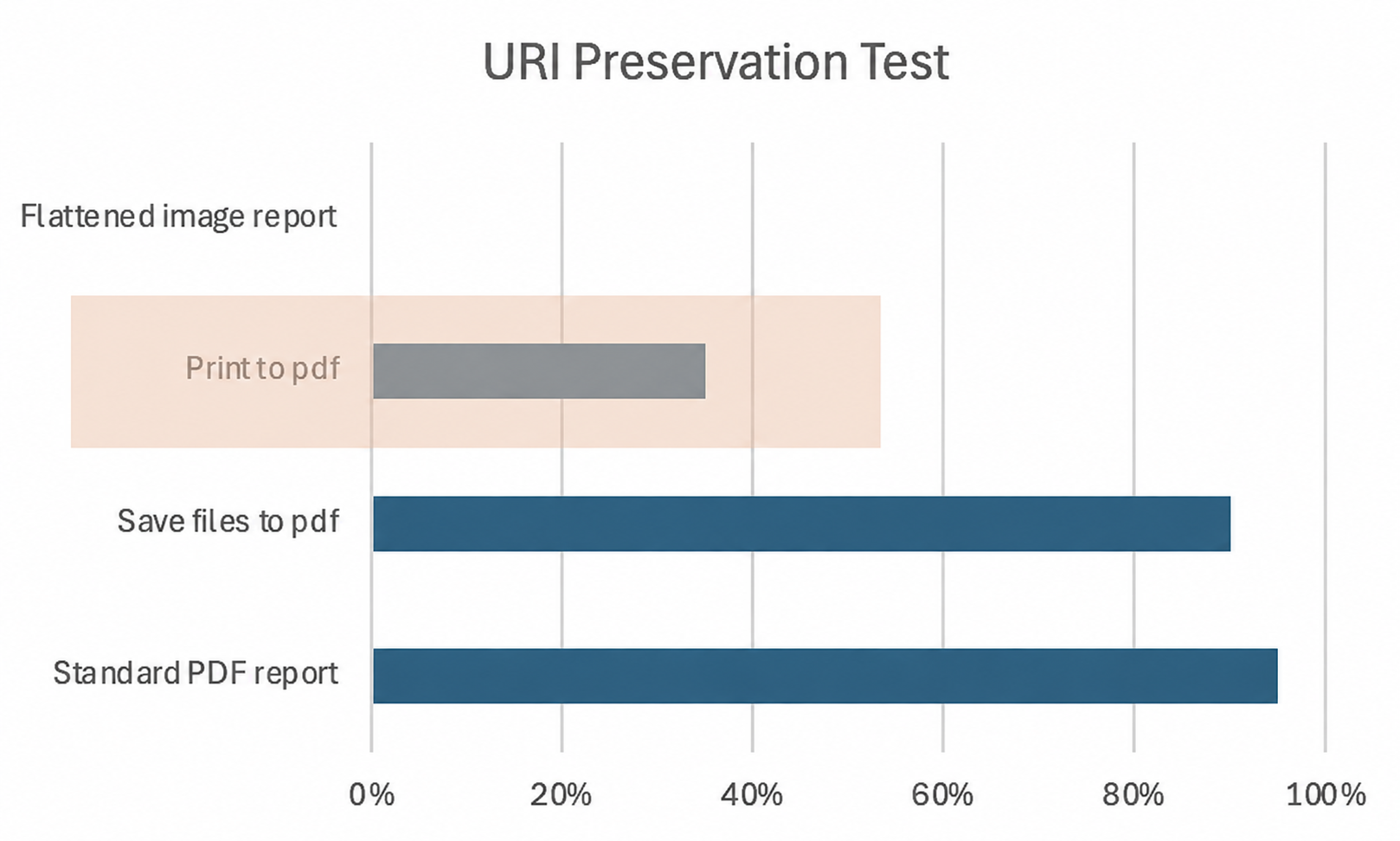
Flattening, printing and image conversion need careful wording. Different tools treat interactive objects differently, so the name of a menu command is not sufficient evidence that every link will survive or disappear. Check the actual exported file and record the option that produced it.
A security warning is another separate case. The URI object can remain intact while the destination viewer asks for confirmation or declines to open a particular scheme. Record the stored target and the viewer response independently. Calling both “lost link” makes troubleshooting harder than it needs to be.
Also distinguish a broken target website from a damaged PDF. A link can preserve the exact intended URI even when the page at that address has moved or become unavailable. File preservation and target availability are two different checks.
Published work puts numbers on that second problem. Klein and colleagues' 2014 PLOS ONE study examined more than one million web references extracted from over 3.5 million scientific articles published from 1997 to 2012. About one in five articles suffered reference rot; among articles that actually cited web resources, the fraction was about seven in ten. The denominator changes the interpretation. These historical figures concern recovering referenced web context, not the fraction of PDF link annotations lost during transfer.
An address can also work while its content changes. In Jones and colleagues' 2016 PLOS ONE follow-up, representative archived snapshots were available for about 30% of the URI references. Among references that could be compared with their live counterparts, over 75% showed content drift. For a reference that matters, retain the publication title and date as well as the URL, and use a stable publisher link or a suitable archived version where available. Then test both the PDF action and the page it reaches.
Before sending the document
Open the final copy, not the original. Check the links that the recipient must use, and read the surrounding labels as someone seeing the document for the first time. Keep the source file when further editing may be needed. A clean visual export is valuable, but it should not quietly replace the interactive version if the task depends on it.
The PDF preservation guide extends this approach to comments, editable annotations and forms. For navigation that stays within the same document, the Pagelyn T8 offline-link article explains the different denominator and destination checks. The C9 answer remains conditional on a complete, stored hyperlink making the trip through the whole workflow.